Static Routing
3 minute read
Static routing allows a node to route traffic to a remote network in addition to virtual network-defined routes(https://docs.trustgrid.io/docs/domain/virtual-networks/routes/). Routes defined at this level can be created for destination CIDRs outside the virtual network’s Network CIDR
Find static route definitions and change them under the Static Routing section of the VPN configuration.
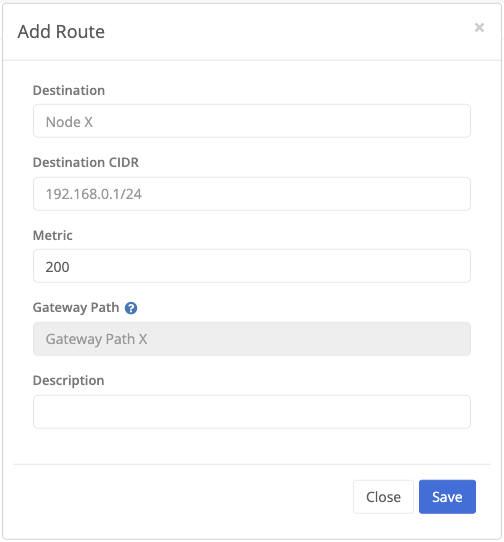
| Field Name | Description |
|---|---|
| Destination | The node to route traffic to. |
| Destination CIDR | The network to route traffic to. |
| Metric | The route metric. Lower metrics are processed first. |
| Gateway Path | An optional gateway path to use for the route. Only visible if additional Gateway paths are defined on the node. |
Route Monitors
Route monitors let Trustgrid test a route destination and mark the route unavailable when the configured monitor checks fail. They are configured per static route.

Prerequisites
- The node or cluster must already be attached to a virtual network.
- The route must already exist.
- The node should have a Virtual Management IP configured for that virtual network because route monitor traffic is sourced from that address. See Attaching a Virtual Network.
- The destination IP and protocol must be allowed by the remote host and any firewalls in the path.
Manage Route Monitors
- Navigate to the desired node or cluster VPN network.
- Open Static Routing.
- Find the route you want to monitor.
- Select Manage Monitors on that route.
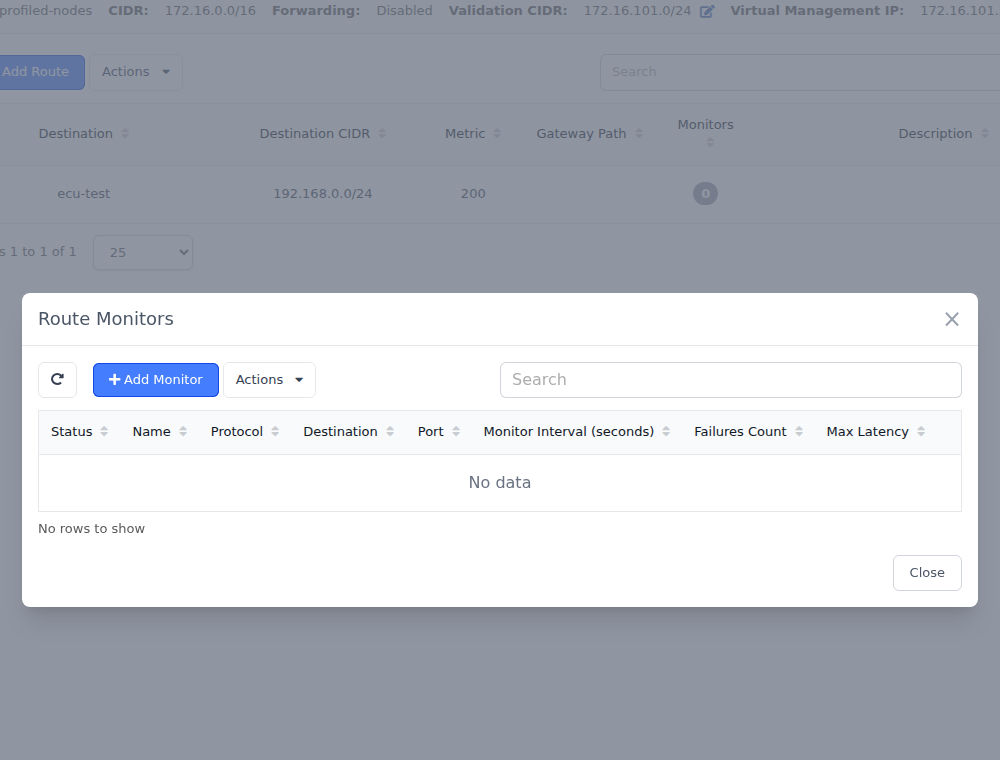
- Select Add Monitor.
- Enter the monitor settings.
- Select Save.
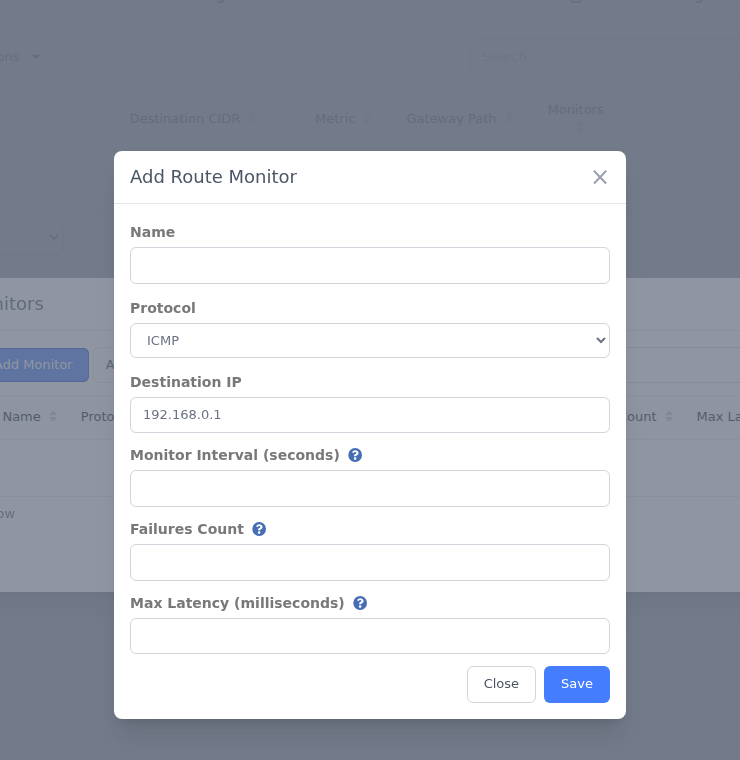
Route Monitor Fields
| Field Name | Description |
|---|---|
| Name | A unique name for the monitor on that route. |
| Status | Enabled monitors run on schedule. Disabled monitors are kept in configuration but are not executed. |
| Protocol | Supported values are ICMP and TCP. |
| Destination IP | IPv4 address to test through the selected route. |
| Destination Port | Required for TCP monitors. Not used for ICMP monitors. |
| Monitor Interval | How often the monitor runs, in seconds. |
| Failures Count | How many failed checks must accumulate before the monitor is considered failed. |
| Max Latency | Optional latency threshold in milliseconds. If omitted, the node uses a default of 1000 ms. |
How Route Monitors Work
- Route monitors run from the node that owns the route and use the virtual network path for that route.
- ICMP monitors send echo requests.
- TCP monitors send a TCP SYN to the configured destination IP and port.
- A monitor can fail because the destination does not respond, returns an unreachable response, returns a TCP reset, or exceeds the configured maximum latency.
- When a monitor reaches the configured Failures Count, the route is treated as failed.
- When successful checks resume, the route can recover automatically.
Failover and Recovery Behavior
Route monitors affect whether a route is considered available. If you have multiple routes for the same destination CIDR, Trustgrid will still prefer the lowest metric route that is currently available.
If a failed route starts passing its monitors again, it can become eligible for traffic again automatically. Trustgrid reuses existing monitor instances during route updates to reduce unnecessary monitor flapping, but unstable targets can still cause route changes if the monitor repeatedly fails and recovers.
For guidance on choosing good monitor targets and avoiding false failures, see Route Monitor Best Practices.
Feedback
Was this page helpful?
Glad to hear it! Please tell us how we can improve.
Sorry to hear that. Please tell us how we can improve.