Services
Categories:
3 minute read
Services are configured in conjunction with connectors or port forwards to define a host (IP or DNS) and port to connect to for layer 4 (L4) connectivity.
Description
Services define the host name or IP and port of a server that can be accessed by the Trustgrid node (or members of the cluster) where it is defined. Remote clients can then access the service via peer nodes using connectors or VPN port forwards.
Functionality
On the local network, a connection’s source IP will be the node’s interface IP.
- If the service is defined on a cluster, the active cluster members IP will be used.
- If the node has multiple interfaces, the source will be the interface that has a matching interface route for the target IP.
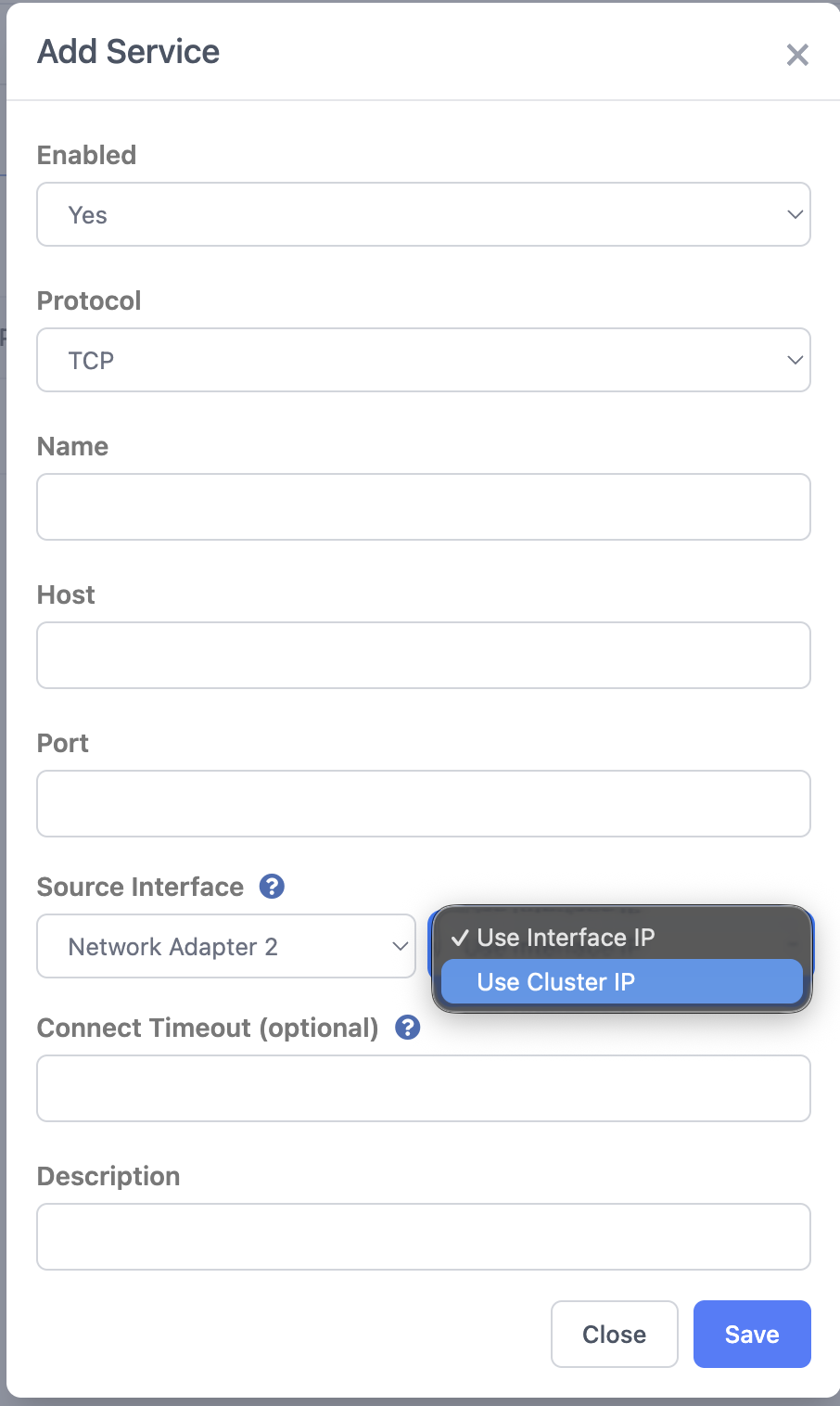
- As of the June 2026 release, the Source Interface setting lets you choose the egress interface and source connections from the cluster IP instead of the interface IP.
If the service’s host field is set to a DNS name, the node will use its WAN interface DNS servers to resolve the address.
Configuration
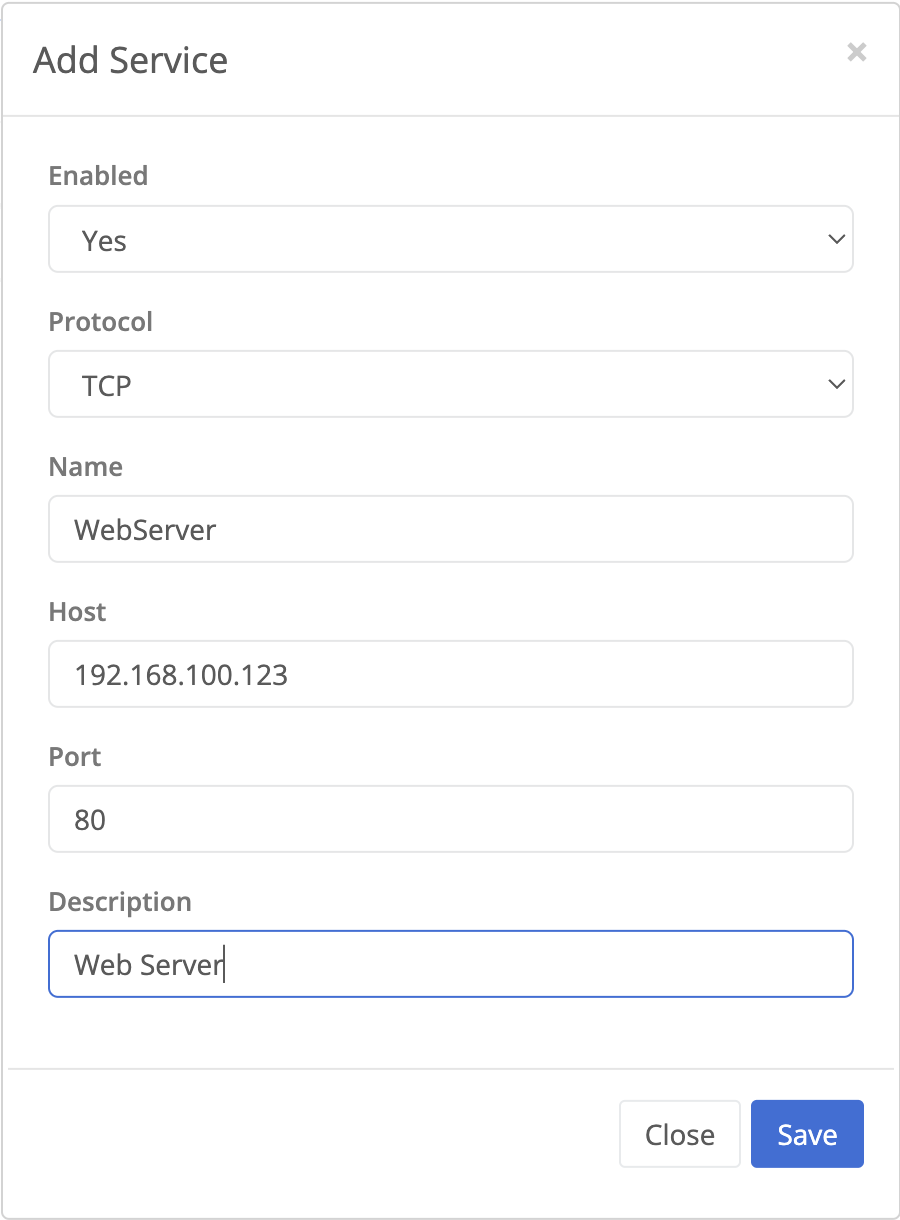
Services are configured under the Networking > Services panel of the node or cluster configuration section in the Trustgrid Portal.
| Field Name | Description |
|---|---|
| Enabled | Values: Yes or No. Allows each service to be individually disabled if desired" |
| Protocol | The protocol of the service to connect to. Options are TCP, UDP, FTP, and TFTP, along with pre-defined default ports for RDP, SSH, and VNC.
|
| Service Name | A friendly name for the service that will be used in the Remote Service field of a connector. Can only contain letters, numbers, and the - character. |
| Host | The IP or DNS address of the host to connect to. |
| Port | The port to connect to on the host. |
| Source Interface | Determines the interface and source IP used for the connection to the host. Requires the June 2026 release or later, and is not shown on earlier versions. Select the interface to source the connection from, then choose how its IP is determined:
 |
| Connect Timeout | (Optional) The maximum amount of time, in seconds, a TCP connection will wait for a response before timing out. Defaults to 5 seconds. |
| Description | (Optional) User friendly description of the service. |
| Test Connectivity | Show only on the Services table for TCP Protocol services. When clicked, the client node will attempt a TCP port connection to the configured host and port and display success or failure. 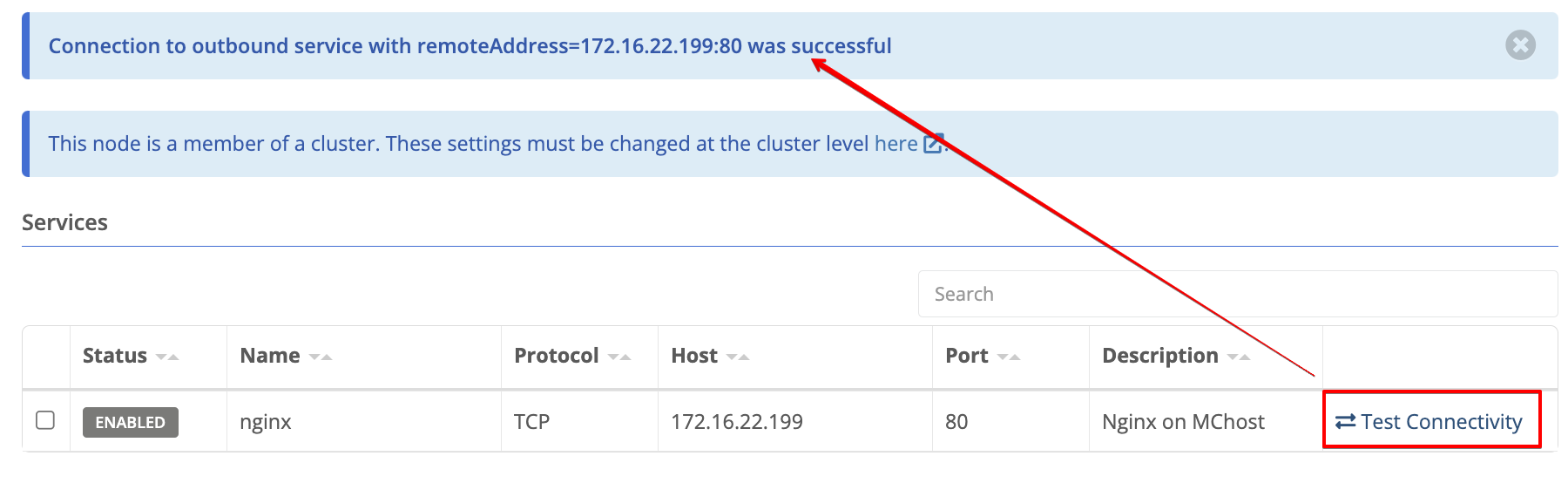 |
Feedback
Was this page helpful?
Glad to hear it! Please tell us how we can improve.
Sorry to hear that. Please tell us how we can improve.